What Can an AI Agent Actually Do for a Coach?
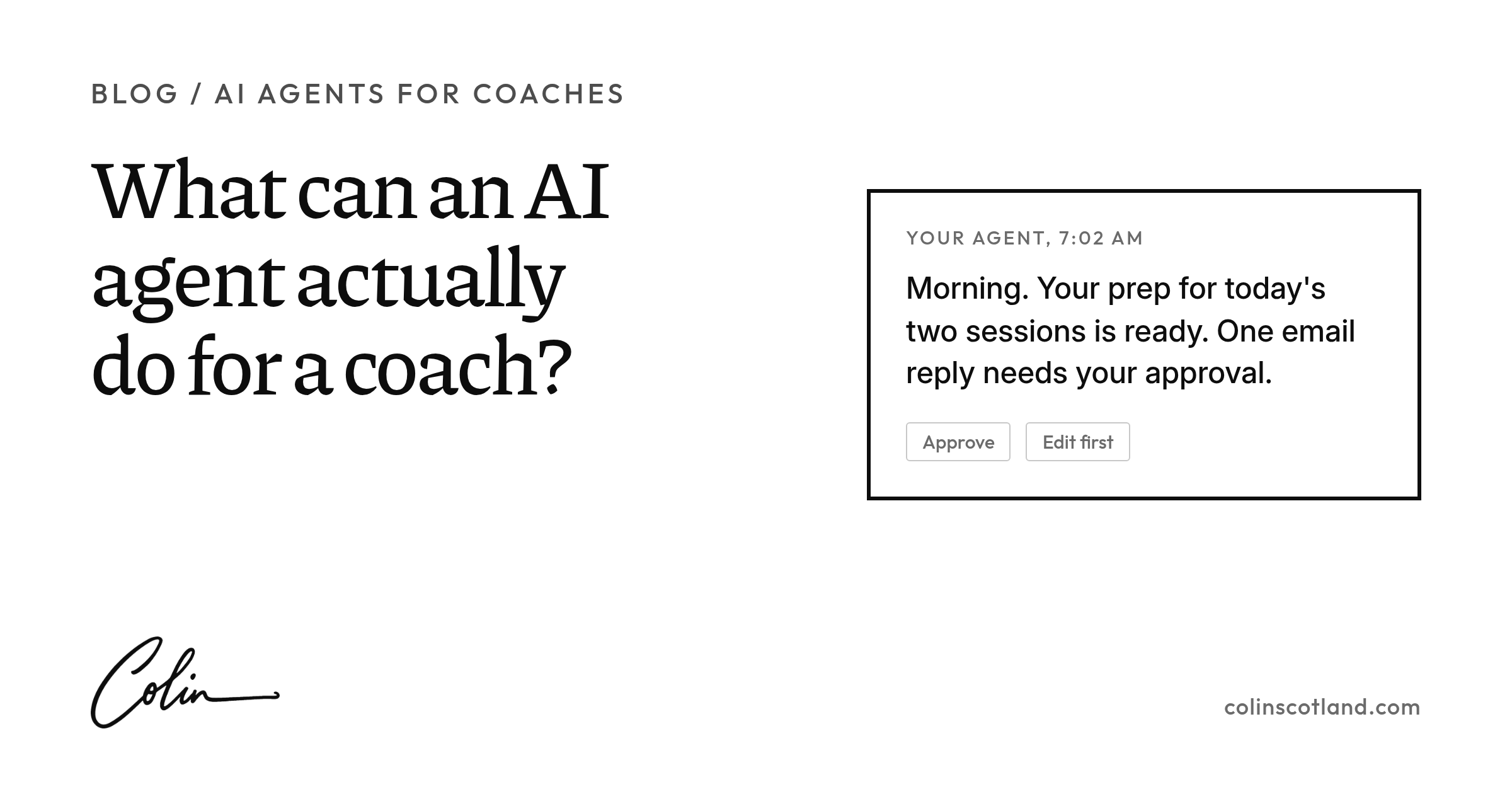
An AI agent can take on the work around your coaching, the jobs that come before and after your sessions. It can brief you on your week, prep you for sessions and remind you what you promised people. It can also draft follow-ups and content for you to approve, and keep a bigger project moving toward a deadline. It can’t coach for you or decide what matters, nor should it. It does its best work with two things from you. One is a goal with a date or a schedule. The other is your context, kept in files you own, so whichever agent you pick can read it.
Why coaches are asking this now
If you already use ChatGPT or Claude, you know the chat window. You open it, ask a question, get an answer and close it. An always-on agent carries on working after that. It can run on a schedule if you set one, read your files and do tasks. It comes back to you when something needs your approval.
In August, Grok Bot launched. Grok Bot gives you always-on agents with their own computer in the cloud. They sign into your tools, keep working when you step away and come back when something needs your approval. At the end of September, OpenAI, the company behind ChatGPT, launched an agent called dots. OpenAI describes it as always-on agents that work toward your goals at any hour of the day or night. In October, Anthropic, the company behind Claude, opened an early test version of Claude Duet, which it calls a research preview. Claude Duet sends you a morning brief and checks your connected apps every few hours. It asks before it sends, pays, signs or deletes anything.
Three of the biggest AI companies released the same idea within three months. You hand an agent work the way you would a colleague, and it keeps going after you close the laptop.
I use a combination of these. Now that you can actually get one, the more useful question is “what would one actually do for me?” If you want the basics first, I’ve written a plain definition of an AI agent.
What an agent can do for a coach this week
Here’s the list, from what I use and what these products are built to do.
Brief you at the start of the week. Early on a Monday, mine looks at my calendar, my to-do list and my priorities. I wake up to a message asking what my energy’s like and whether there’s anything I want to keep time for. I answer in my own words and it updates my plan.
Prep you before a session. Give one access to your session notes and it can pull together what you covered last time. It can also remind you what your client said they’d do before you meet again.
Remember what you promised. Mine uses my name, so it’ll say something like, “Colin, in your meeting on Tuesday you promised to send that resource. It’s on your to-do list but it’s still outstanding.” In other words, I said I’d do it and I haven’t done it yet.
Watch your inbox and calendar. I give mine read-only access, so it can read my email and draft replies, but it can’t send anything. It tells me which emails need my attention and has a draft reply waiting, and I decide.
Turn your sessions into content. If you record your workshops or group calls, an agent can find the best things you said. It can then draft a post or an email from them for your approval.
Keep work moving on a date or a schedule. This is where a goal with a date, or a regular schedule, comes in.
Give it a goal with a date or a schedule
A list of tasks on its own isn’t enough. Give an agent a goal with a date on it, or a schedule it can run to, and it has something to plan toward.
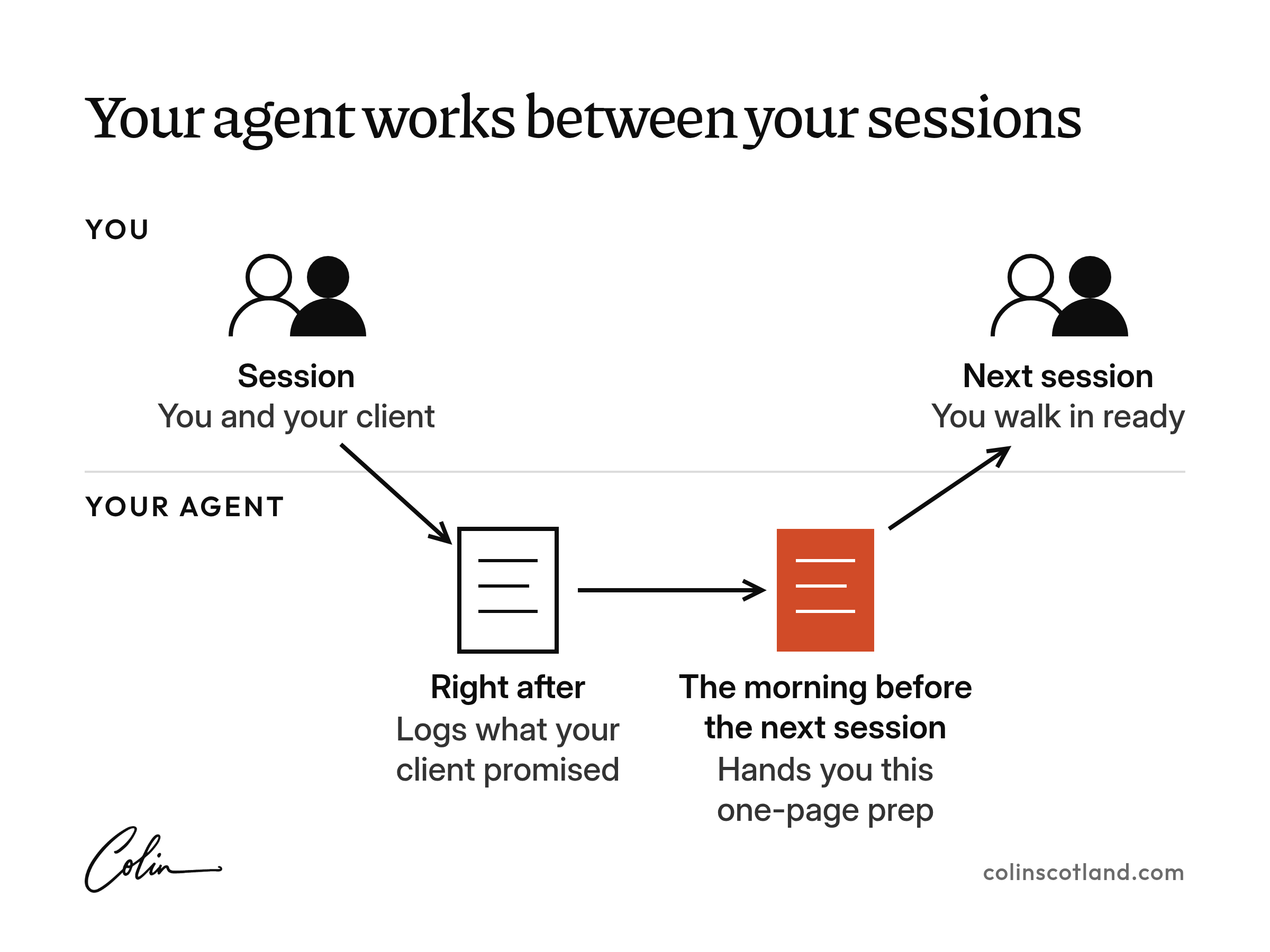
Here’s one you can set up. After every coaching session, the agent pulls the meeting notes from your note-taking app. It logs what the client committed to and a theme from the call. The morning before the next session, it hands you a one-page prep. That covers what they promised, what’s changed since you last spoke and a suggested opening question. You walk in ready, without rushing through your notes ten minutes before.
When you set one up, write down one outcome with a date or a schedule. “Twelve blog posts live by the end of March.” “Every new inquiry gets a reply within a day.” “Meeting insights logged after every coaching session.” “Launch the group program on 1 February.” Then ask it what it needs from you to get there.
Keep your context in your own files
Which one you pick matters less than you’d think. As I said on a call recently, “They’re all personal AI assistants. They’re all the same, always on, it’s the same, just different wrapper.” What I mean is that they all do the same job, and only the packaging is different.
What makes any of them useful is the context they read, meaning the background on you and how you work. Everything about how I work lives in plain files in folders on my own machine. That runs from how I write and how I coach to this week’s priorities and the decisions from every working session. I call that my Human Stack.
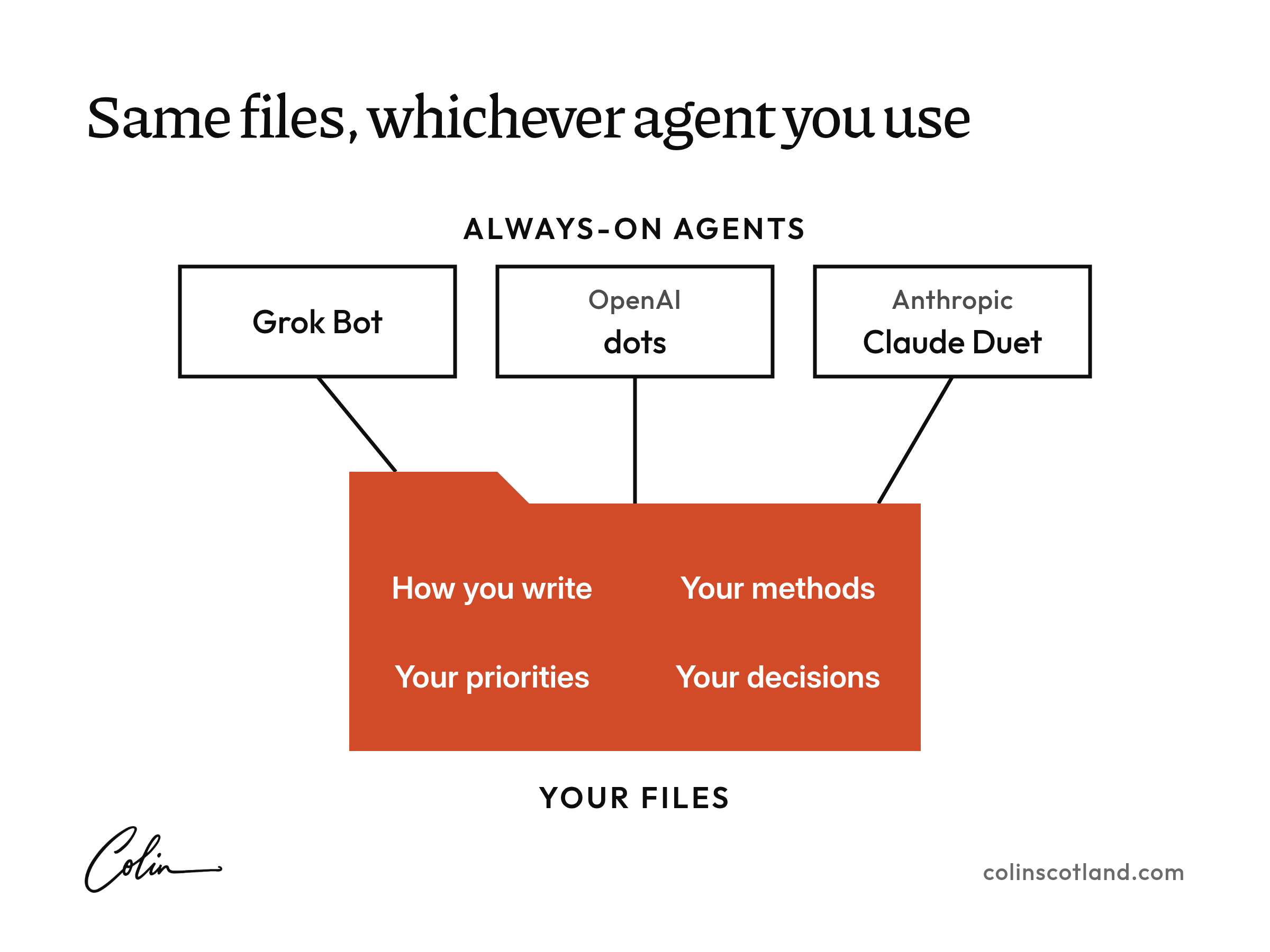
I teach coaches to be platform agnostic for exactly this reason. That means your work isn’t tied to one AI company. We don’t want our most valuable work living inside somebody else’s platform. We want it in our files, in our folders. If Claude stops working, or you decide to use ChatGPT instead, you’re fine. Everything lives in your world, in your control.
It works in practice because any AI can read files. When I finish a piece of work with an AI, the decisions get written back into my files and I close the session. Next time I open a different AI to work on my group program, it reads those files and picks up where we left off. I don’t have to tell it. I don’t have to train it.
Take the context away and every agent gets worse. It’ll guess at a lot of things and get many of them wrong. I call this the two-way connection between you and AI. My post Obsidian Is the Lens shows how my files stay in sync with agents in the cloud. Obsidian is the notes app I use to see those files.
So when the next always-on agent launches, I won’t start again. I’ll give it the same folder.
What an agent can’t do for a coach
It can’t coach for you or decide what matters, nor should it. Your presence with a client, and the question you ask after the silence, stay with you. I wouldn’t want it any other way.
All three products are designed to ask before they act on things that matter. Keep it that way, and approve anything that goes out under your name.
An agent also isn’t watching every second, and it makes mistakes. Claude Duet checks your accounts every few hours, and OpenAI says plainly that dots can still get things wrong, so review anything that matters.
Agents aren’t available everywhere yet, either. Claude Duet is open only in the US for now, through a waitlist. OpenAI’s dots isn’t available on personal ChatGPT plans in the UK, the EU or Switzerland. That’s one more reason to keep your context in files that work with whichever agent you can get.
Be careful with client information too. Only connect the apps, files and accounts you’d be comfortable explaining to a client.
Where to start
This is the one thing I’d ask you to do this week. You don’t need a whole setup on day one. Start with your files, one agent and one goal.
- Put the files that describe how you work into one folder you own.
- Pick the piece of work that takes up most of your week. Session prep, follow-ups or content are good first choices.
- Write one outcome with a date or a schedule.
- Give whichever agent you can get access to your files, and read-only access to your email and calendar.
- Ask it to bring you decisions, so you still make the final call.
FAQ
What can an AI agent do for a coach? It can handle the work around your coaching. That means a weekly brief from your calendar and to-do list, prep before sessions and reminders about what you promised people. It can also draft replies and content for you to approve, and keep a project moving toward a deadline or on a schedule. The coaching itself stays with you.
Which AI agent should a coach choose? Start with whichever one you can get and afford. The bigger choice is where your context lives. Grok Bot, OpenAI’s dots and Claude Duet are the same kind of always-on assistant in a different wrapper. Keep your methods, how you write and your plans in plain files you own. Then you can give any of them those files and switch later without starting over.
Is it safe to give an AI agent access to my email? Start with read-only access. My agents can read my inbox and calendar and draft emails, but they can’t send anything. The big always-on products also ask for approval before they send messages or spend money, so you still approve anything important.
Your files stay when the agents change
The agents are here, and there’ll be new ones every few months. What they still need is your context, written down where you own it, and a clear sense of where you’re going and by when.
We’re all working this out as we go. Me included.
Start with step one this week. For one practical insight each week on working with AI without losing yourself, there’s the Intelligence Briefing.